Application

•Function Configuration
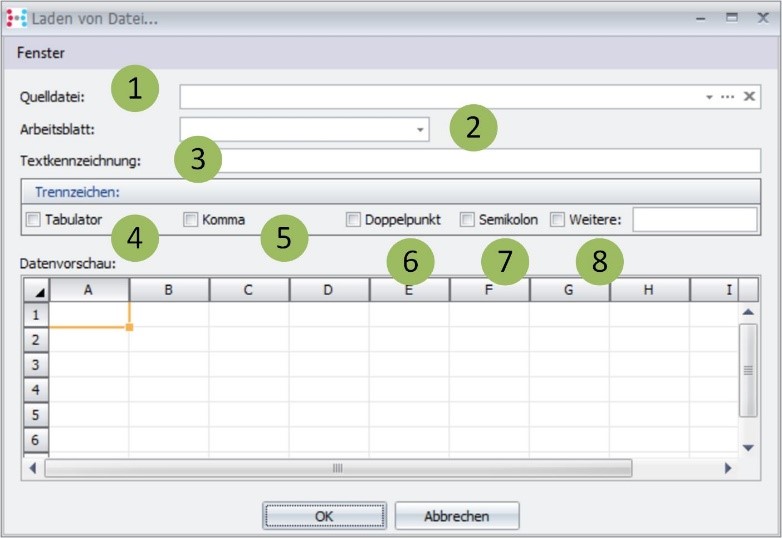
Fields Description:
Number |
Fieldname |
Description |
1 |
Source file |
Excel (xls, xlsx) and CSV data format is supported |
2 |
Worksheet |
Worksheet of the Excel data source |
3 |
TextMarking |
If data contains spaces and is combined as a high comma, for example, to a record |
4 |
Tab |
Y/N – Data set separation for CSV Files |
5 |
Come |
Y/N – Data set separation for CSV Files |
6 |
Colon |
Y/N – Data set separation for CSV Files |
7 |
Semicolon |
Y/N – Data set separation for CSV Files |
8 |
More |
or another delimiter for CSV Files (Text) |
Calling the function:
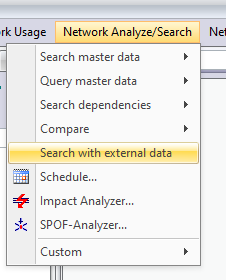
Action button: Search using external data
Network Analyze/Search -> search using external data
▪Function:
▪Configuration
As source / data file, please take attached Filter_Rohr01a_Ergebnis.xlsx
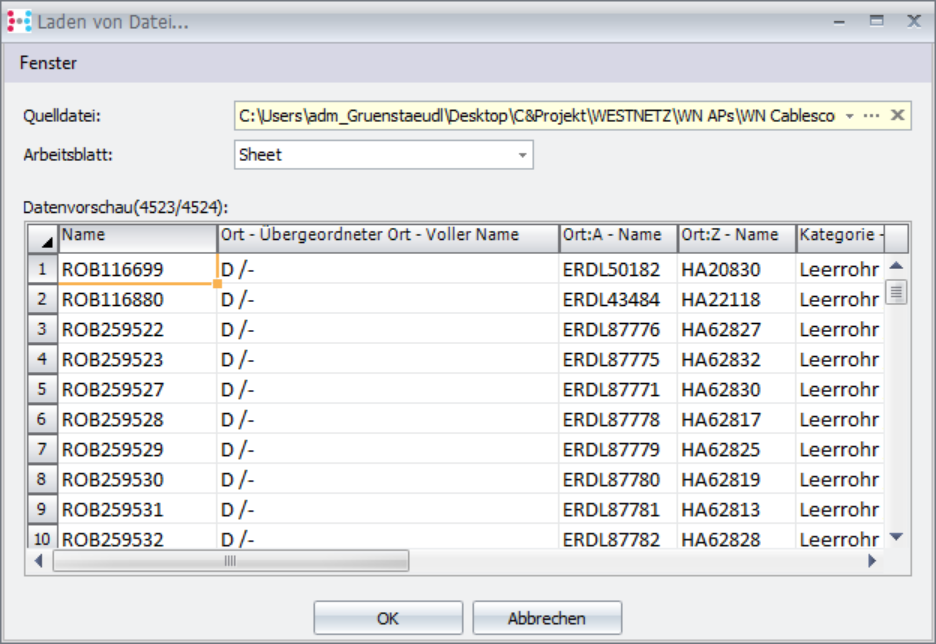
Selection of data:
There are 2 ways to select data and use it in the search.
•Selection
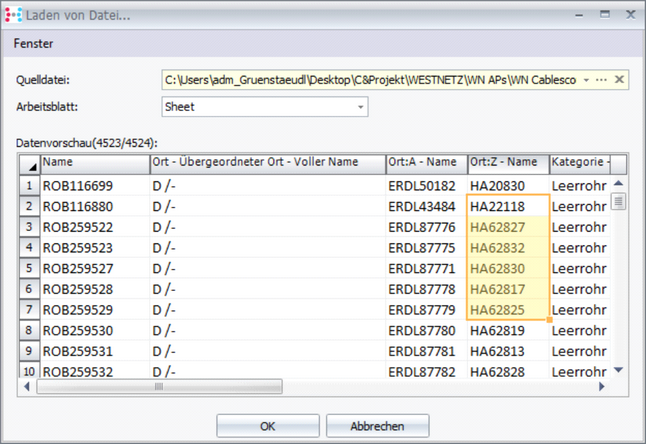
Press ok automatically performs the search:
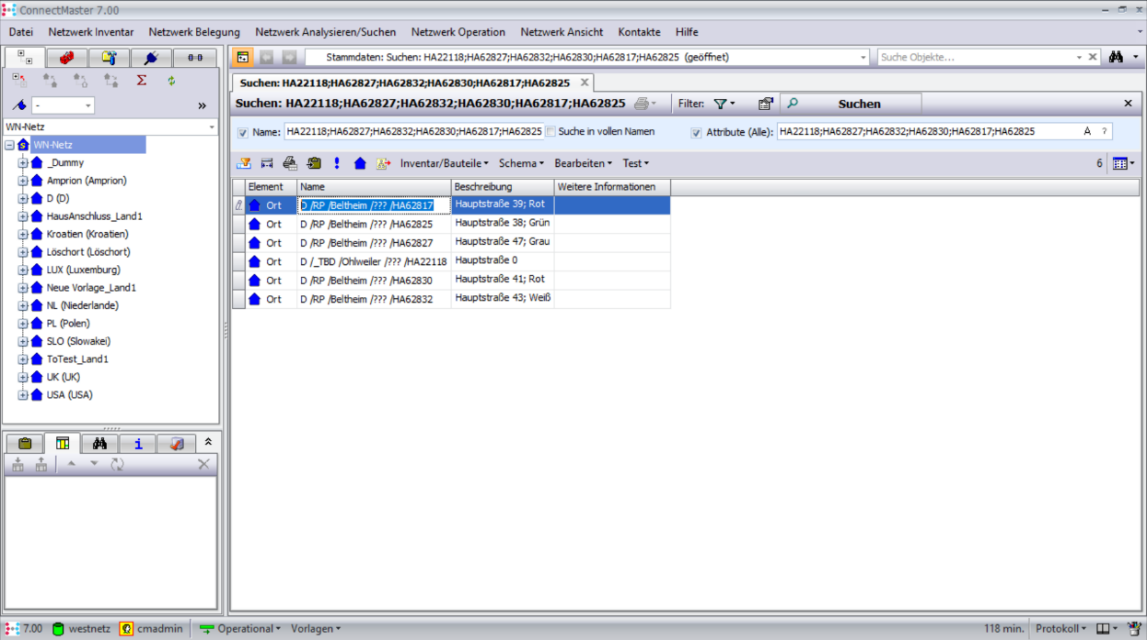
•Copy Paste
Selection and 'Ctrl C' for copying, then cancel (otherwise the search will be executed).
The result is in the buffer and can be copied with 'Ctrl V’ into different applications, for example in an external editor or directly into the quick search.
